Google Earth’s Flight Simulator Finally Lands in Your Browser - No Download Required
Here is the revised article, incorporating all editorial feedback while preserving the original structure, tone, and strengths. Changes are highlighted in the thinking but are seamless in the final...

Here is the revised article, incorporating all editorial feedback while preserving the original structure, tone, and strengths. Changes are highlighted in the thinking but are seamless in the final draft.
For nearly 20 years, Google Earth’s flight simulator was a secret handshake only desktop power-users knew about, a hidden Easter egg triggered by a cryptic keyboard shortcut. Pressing Ctrl+Alt+A on Windows or Cmd+Option+A on Mac would whisk you from a satellite view of your backyard into the cockpit of an F-16 or an SR22, soaring above real-world terrain with nothing but a mouse and a sense of adventure. It was a cult feature, never officially promoted, but beloved by those who stumbled upon it.
Now, that same simulator appears poised to reach anyone with a web browser. While the feature has not yet launched as of this writing, a credible announcement indicates it could arrive on June 12, 2026. The official @googleearth account on X announced the feature’s impending web debut, and the post quickly racked up 5.5 million views. The move signals a major shift in Google’s strategy, transforming a once-hidden desktop toy into a fully accessible, browser-based experience. Here’s how it happened, how to fly, and what this means for the future of Google Earth.
From Easter Egg to Global Launch, The Story Behind the Simulator
The flight simulator first appeared in Google Earth 4.2, released in 2007. It was never listed in the menu or promoted in release notes. Instead, it existed as a quiet Easter egg, accessible only through the keyboard shortcut. Over the years, a small but passionate community of users shared tips, routes, and screenshots on forums and Reddit, treating the simulator as a secret playground hidden inside a mapping tool.
Google never removed the feature, but it also never elevated it. Until now. The announcement on X in June 2026 marked the first time the company officially acknowledged the simulator as a legitimate part of the Google Earth experience. The post explained that the feature had been brought to the web as part of a broader push to migrate professional-level desktop tools to the browser. In recent years, Google Earth web has added elevation profiles, new import types, extra data layers, and, in 2024, historical imagery recreations. The flight simulator is the latest, and arguably most exciting, addition to that list.
The timing is telling. By releasing the simulator on the web, Google is effectively democratizing a feature that was once limited to a small group of power users who knew the secret shortcut. Now, anyone with a desktop browser can access it instantly, no installation required.
Taking Off, How to Fly in Your Browser
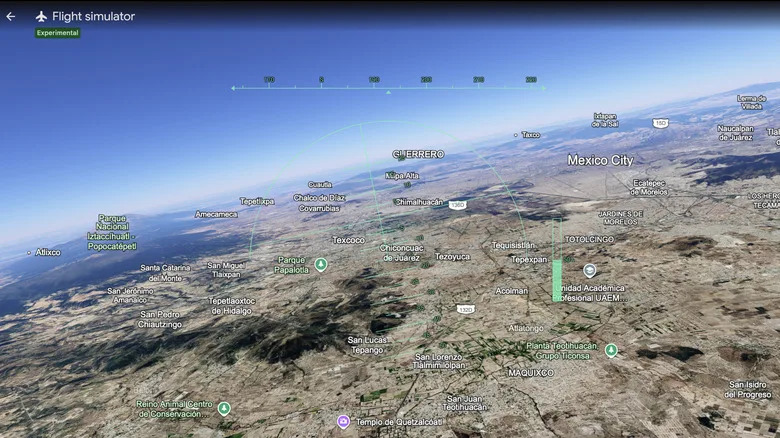
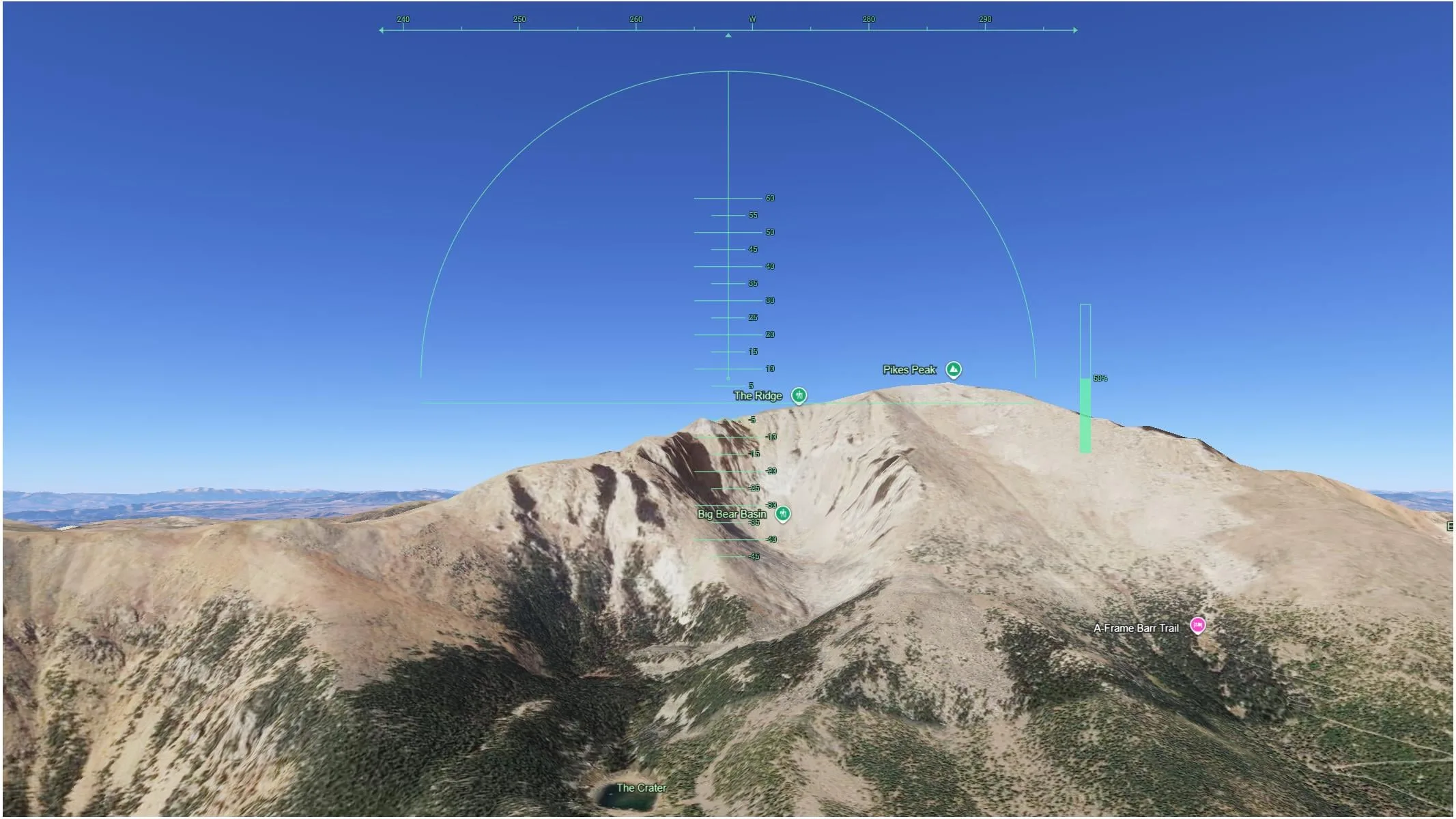
Firing up the simulator is straightforward, though there are a few quirks worth knowing. Open Google Earth in a desktop web browser (sorry, mobile users, this one needs a keyboard and mouse), click “Explore Earth,” then open the “Tools” menu and select “Flight Simulator.” You’ll be dropped into an F-16 or an SR22 at a random location, ready to take off. By default, the view is from inside the cockpit, giving you a pilot’s‑eye perspective.
The controls are simple: Up/Down arrows control pitch (tilt the nose up or down), Left/Right arrows control roll (bank the aircraft), Page Up and Page Down control thrust, and clicking the mouse toggles mouse controls for looking around the cockpit. Google recommends switching the basemap from “Map” to “Satellite” for the most photorealistic experience, and the simulation dynamically streams in 3D buildings and high‑resolution imagery as you fly. If you push the throttle too hard or fly too fast, low bandwidth can cause loading delays, a reminder that this is a web app, not a dedicated sim. As of now, the web version does not support joystick or gamepad input, so stick to keyboard and mouse for the best experience.
If the worst happens and you crash into terrain, the simulation pauses and displays a friendly “You crashed! Restart” button, letting you resume at a safe altitude. It’s a forgiving system designed for exploration, not punishment.
Casual Fun vs. Hardcore Sim, Where Google’s Flight Sim Fits In
Let’s be clear: Google Earth’s flight simulator is not a competitor to Microsoft Flight Simulator 2024. Google itself describes it as “designed for casual exploration rather than high‑fidelity aerodynamic training.” The physics are simplified, the aircraft models are basic, and there’s no weather system, air traffic control, or detailed cockpits. This is about sightseeing, not simulation.
But that’s exactly its strength. In contrast to heavyweight sims that require hundreds of gigabytes of storage, powerful GPUs, and a subscription, Google Earth’s simulator is free, runs in any modern browser, and lets you be airborne in seconds. It’s perfect for a lunch break flight over the Grand Canyon, a lazy loop around the Eiffel Tower, or a frantic low‑level pass through Manhattan’s skyscrapers. It’s a time sink in the best possible way, a no‑commitment way to see the world from a new angle.
For the gaming community, it validates the idea that lightweight, in‑browser experiences can coexist with and complement premium simulation software. Sometimes you don’t need a full flight model. Sometimes you just want to see what your neighborhood looks like from 10,000 feet.
What This Means for Google Earth’s Web Future
The flight simulator’s web debut is not an isolated experiment. It is part of a deliberate strategy to turn Google Earth web into a fully featured platform, potentially reducing reliance on the desktop app. By porting features like elevation profiles, historical imagery, and data layers to the browser, Google is making its mapping tools accessible to anyone with an internet connection, without the friction of a download.
For the tech and gaming communities, this move signals that Google sees the web as the primary delivery channel for its geospatial tools. The desktop app isn’t going away anytime soon, it still offers deeper functionality like KML file support and advanced measurement tools, but the browser version is catching up fast. The flight simulator is the most visible example yet of Google’s willingness to turn hidden features into public‑facing attractions.
It also raises interesting questions about what else might be lurking in the desktop code. If a 19‑year‑old Easter egg can become a polished web feature, what other surprises might Google Earth have in store?
Ready for Takeoff, The Sky Is Open to Everyone
Google Earth’s flight simulator has gone from a secret handshake to a global, browser‑based experience that anyone can try in seconds. It won’t replace Microsoft Flight Simulator, but that’s not the point. It’s a free, accessible, and joyful way to see the world from above, and a clear sign that Google is betting big on the web as the future of its Earth platform.
So open your browser, head to Google Earth, and see where the wind takes you. The cockpit is waiting, and no download is required. (Desktop users, note that the full keyboard‑customization options from the classic Easter egg are not yet available on the web, but the core flying experience is all here.)