Corsair Galleon 100 SD Review: Stream Deck Built Into a Mechanical Keyboard - Unprecedented, but Not Without Compromise
Design & Integration, What the Stream Deck+ Brings to the Keyboard The Galleon 100 SD replaces the traditional numpad with a fully embedded Stream Deck+ module. This gives you 12 LCD buttons...

Design & Integration, What the Stream Deck+ Brings to the Keyboard
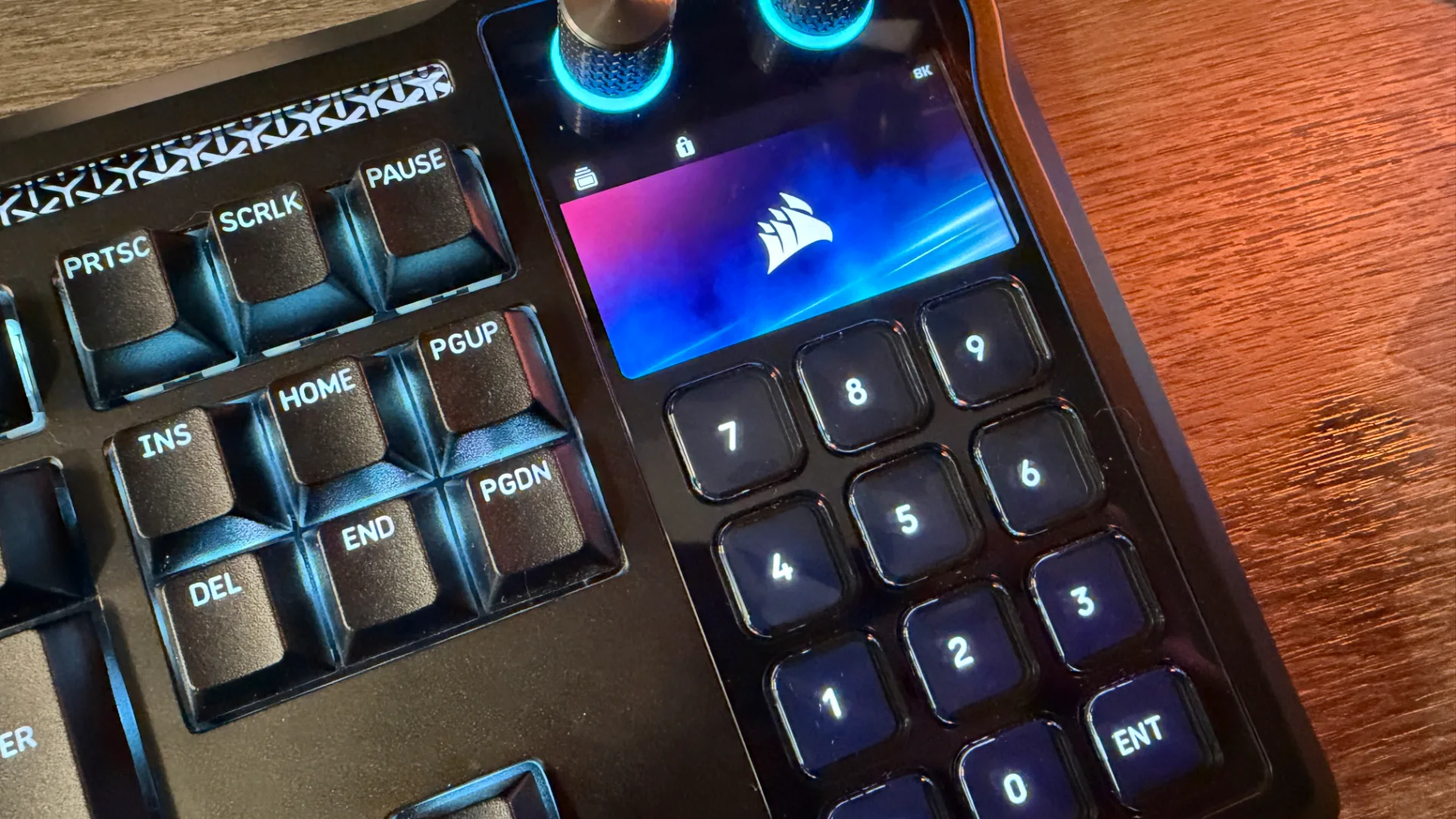
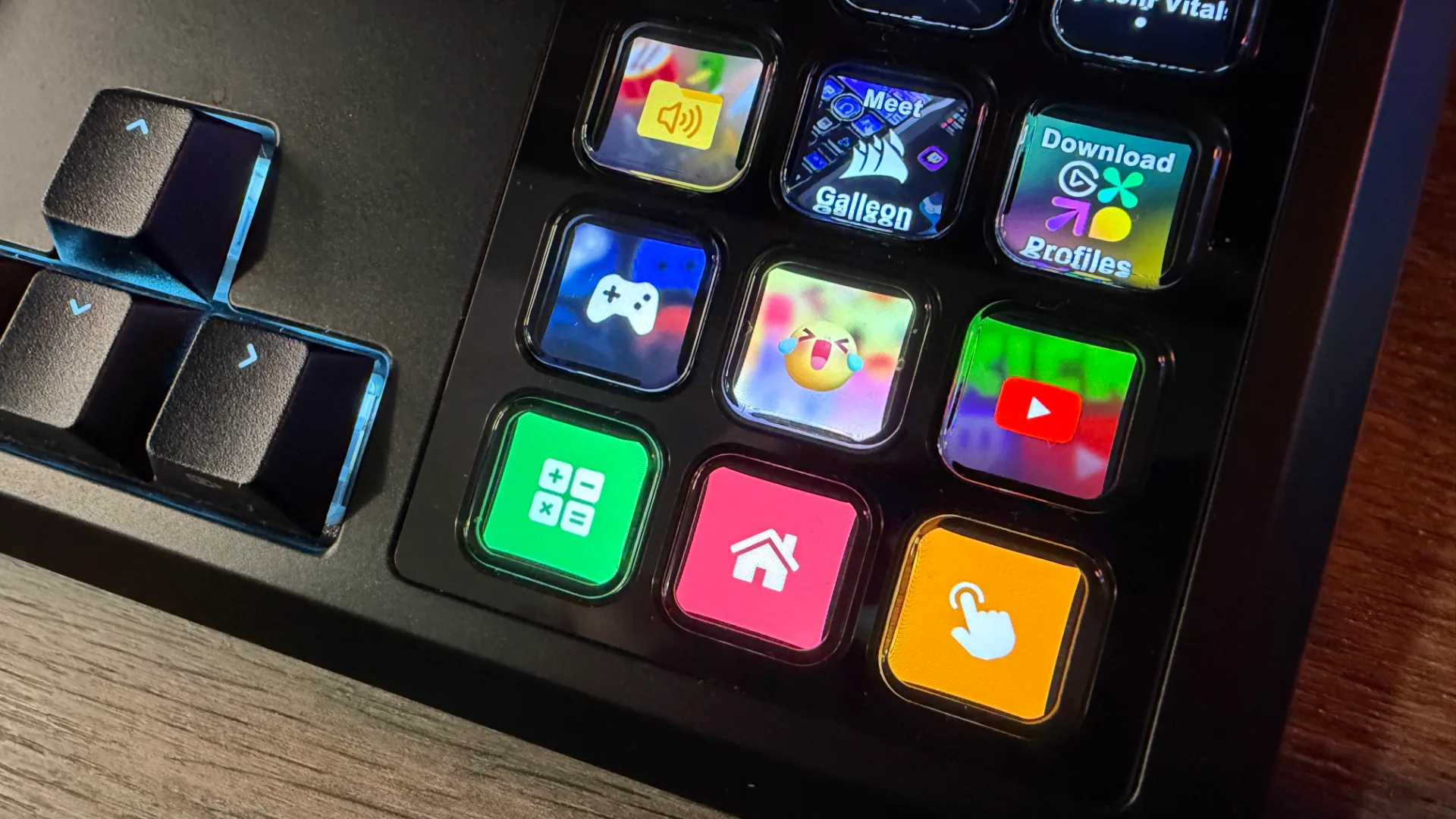
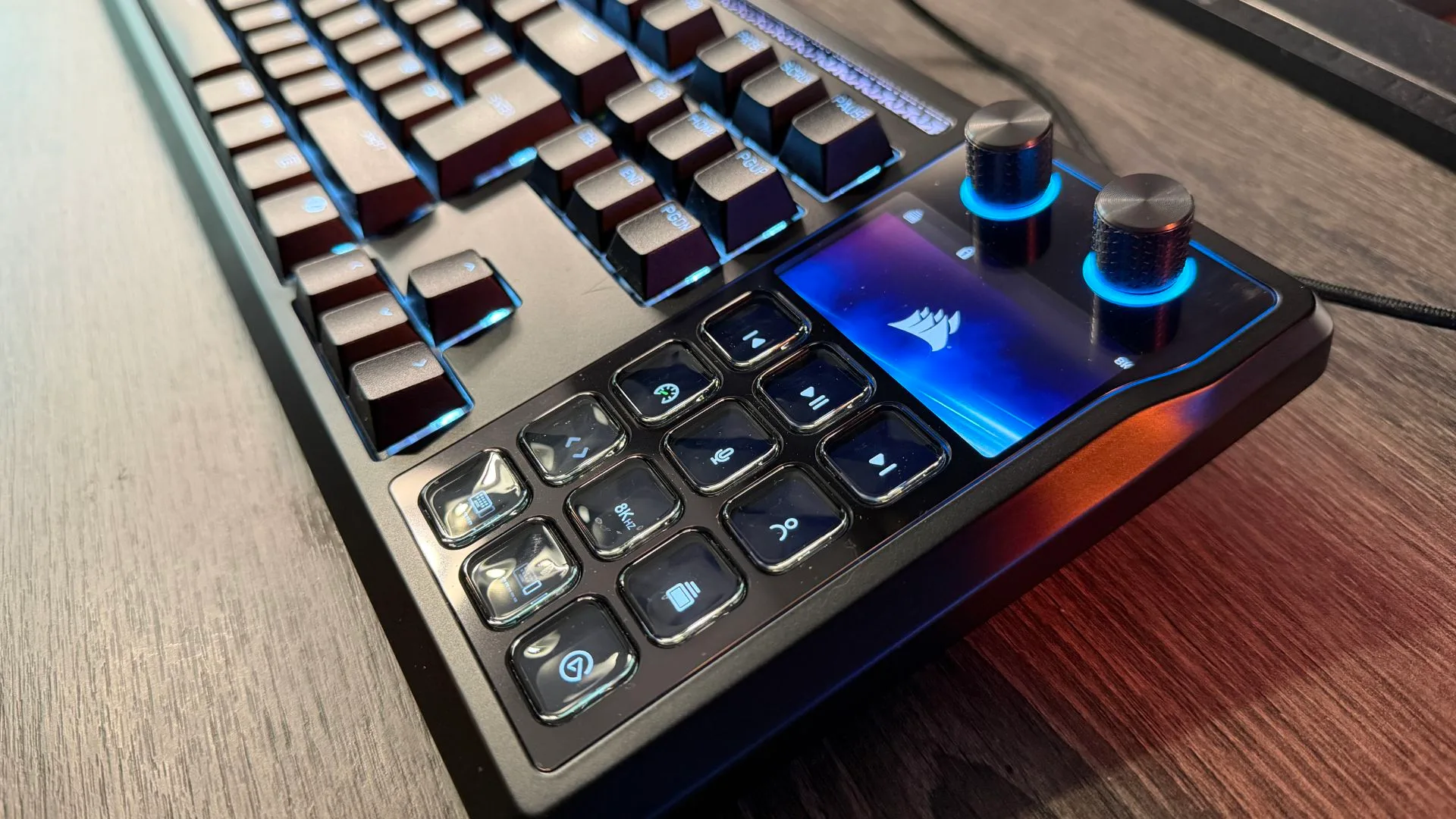
The Galleon 100 SD replaces the traditional numpad with a fully embedded Stream Deck+ module. This gives you 12 LCD buttons arranged in a 4x3 grid, two rotating knobs, and a customizable 5-inch info strip positioned above the function row. Functionally, it is identical to a standalone Stream Deck+, same resolution, same software ecosystem, but it is physically locked into the keyboard chassis. There is no detaching it, no repositioning it to a more ergonomic spot.
Build quality is a definite highlight. Corsair has employed gasket-mount construction, PCB-mount stabilizers, and pre-lubed PBT double-shot keycaps. The whole frame feels solid and premium, with a satisfying heft. However, the footprint is enormous. The keyboard is a full-size layout with the Stream Deck module tacked on the right side, meaning it extends well beyond what most users expect from a 100% keyboard. Several reviewers have noted that at sharp viewing angles, the outer edges of the LCD display content can get clipped, a minor but noticeable ergonomic hiccup.
The Stream Deck buttons themselves have divided opinion. Some reviewers report a distinctly "mushy" feel compared to the crisp mechanical switches elsewhere on the board, with a slightly delayed response. Others find them entirely responsive and bug-free. This is a subjective point that depends heavily on personal tolerance for different key feels. If you can, test the buttons in person before committing, the difference between a tactile mechanical key and a rubber-dome Stream Deck button may jar you.
Switches, Performance & The Hall Effect Elephant in the Room
Under the keycaps, the Galleon uses standard Corsair MLX Red linear switches with hot-swap sockets, not the magnetic Hall Effect switches that have become the gold standard for competitive FPS players. These are pre-lubed and provide a smooth, linear feel. The gasket-mount construction gives the typing experience a softer, more cushioned character than typical rigid gaming boards. For most gamers and content creators, this is perfectly adequate. The keyboard also offers 8,000 Hz polling rate and SOCD (simultaneous opposing cardinal direction) support, which are welcome competitive features.
But the elephant in the room is the absence of Hall Effect switches, which allow adjustable actuation points and Rapid Trigger functionality. This is a deliberate positioning choice. The Galleon is marketed as a content creator's keyboard, not a pure competitive gaming peripheral. Corsair prefers to reserve Hall Effect for other product lines. If you are a competitive FPS player who relies on adjustable actuation, the Galleon will leave you wanting more. If you primarily use the keyboard for typing, streaming, and macro-heavy workflows, the standard mechanical switches will serve you well.
The Software Split, Corsair Web Hub vs. Stream Deck App
This is the most consistently criticized aspect across early reviews. To get full functionality from the Galleon, you need to run two separate applications: Corsair's Web Hub (a progressive web app that replaces the legacy iCUE desktop software) for keyboard lighting, performance settings, and firmware updates, and the standalone Elgato Stream Deck app for programming the LCD buttons, configuring profiles, and installing plug-ins.
The split workflow is a genuine friction point. Switch between the two apps to adjust a lighting effect and then map a macro, and you quickly feel the seams. Some reviewers have called the experience "tired" and noted that the "software stack leaves a lot to be desired." Enthusiasts who are already deep in the Corsair and Elgato ecosystems may accept this as the cost of integration, but mainstream users will find it frustrating.
On the positive side, the Stream Deck app itself is mature, powerful, and well-supported. Dedicated Galleon profiles are already appearing on the Elgato Marketplace for games like Paralives and Subnautica 2. The Corsair Web Hub, while still new and evolving, offers solid lighting control and performance tuning. The two-app requirement is a fact of life for Galleon owners, and its impact on your experience will depend on your tolerance for managing multiple back-ends.
Pricing, Value & Who Should Buy
At $349.99 / £309.99 / AU$599, the Galleon 100 SD costs less than buying a premium mechanical keyboard (around $200) and a standalone Stream Deck+ (around $200) separately. That price advantage is real, but it comes with a significant trade-off: you lose the freedom to position the Stream Deck independently. With a separate device, you can place it left of your keyboard, on a separate stand, or even across your desk. The Galleon locks it to the right side, permanently.
The keyboard is also wired-only. No wireless option exists, which may disappoint those seeking a clean, cable-free desk. A bundle with the Sabre v2 Pro Carbon Fiber Wireless Mouse is available from Corsair's store, which softens the blow for some. The keyboard can be purchased directly from Corsair's official store and select retailers.
Who It’s For ✅
- Streamers, video editors, and macro-heavy creators who want a unified desktop.
- Users already invested in the Stream Deck ecosystem.
- Anyone willing to manage two software apps for deep customization.
Who Should Pass ❌
- Competitive FPS players who need Hall Effect switches.
- Users who value software simplicity above all else.
- Anyone who wants the flexibility to position their macros independently.
The Verdict: A Specialized Triumph for Streamers, a Pass for Competitive Players
The Corsair Galleon 100 SD is a landmark product that successfully delivers on its core promise: a premium mechanical keyboard with a fully integrated Stream Deck. The build quality is exceptional, the macro potential is immense, and the price is fair compared to buying separate components. The gasket-mount typing feel, 8,000 Hz polling, and hot-swap sockets are welcome additions.
However, the missing numpad, the two-app software requirement, and the lack of Hall Effect switches mean it is a specialized tool rather than a universal best-in-class. It is a triumph for content creators who value all-in-one convenience and already trust the Corsair-Elgato ecosystem. For everyone else, competitive FPS players, keyboard purists who hate software bloat, or anyone who wants the flexibility to position their macros independently, the Galleon is a compromise too far.
The keyboard is now available. If you fall into the target audience, you will love it. If you are on the fence, look very closely at how you actually use your keyboard and Stream Deck, the answer may surprise you.