Xbox Mode Arrives on Windows 11: Microsoft's Handheld-Inspired Gaming Interface Explained
What Is Xbox Mode? From Concept to Launch At its core, Xbox Mode is a controller-driven, full-screen interface that runs atop Windows 11 . When activated, it disables the standard desktop, Start...

What Is Xbox Mode? From Concept to Launch
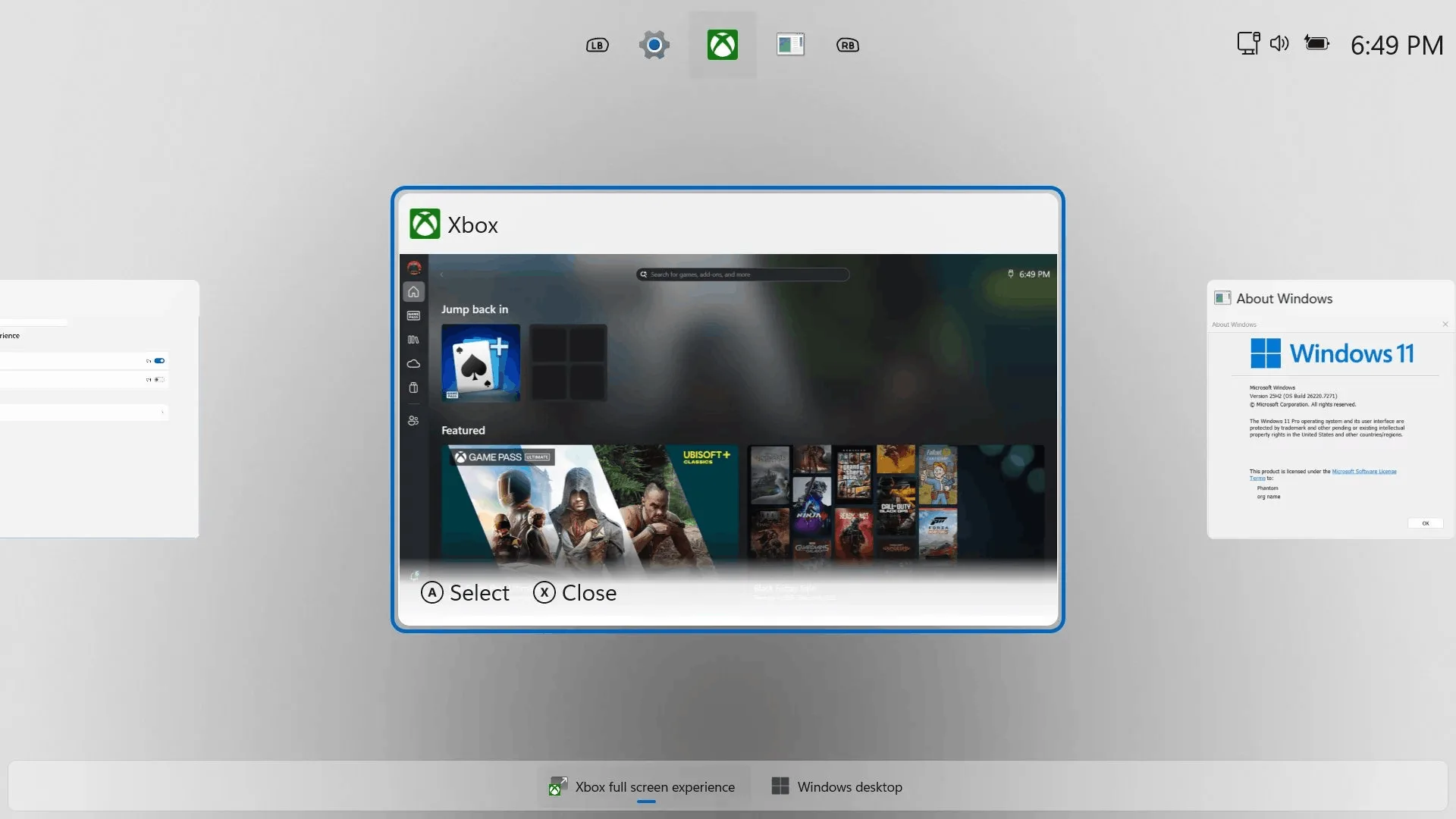
At its core, Xbox Mode is a controller-driven, full-screen interface that runs atop Windows 11. When activated, it disables the standard desktop, Start menu, and taskbar, presenting users with a console-style dashboard navigable entirely by gamepad. This dedicated environment is designed to minimize distractions and system overhead, creating a focused space for launching games, accessing your library, and connecting with friends.
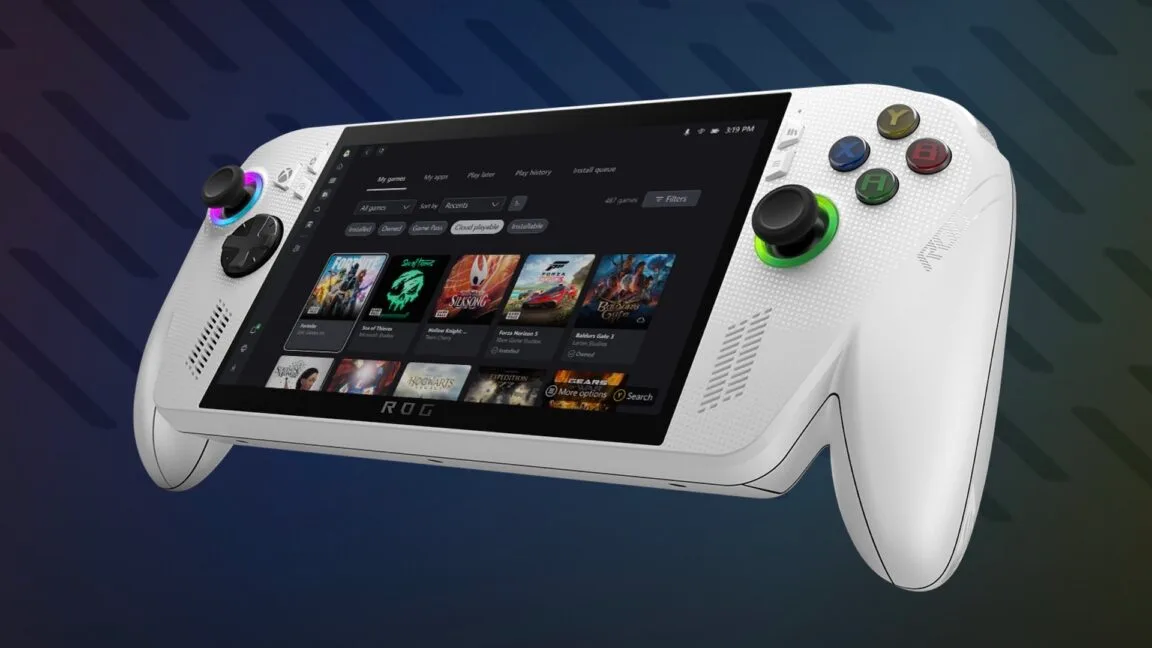
The journey to this April launch has been a lengthy one, tracing back to the disruptive launch of Valve's Steam Deck in February 2022. Microsoft's internal development of a handheld mode for Windows began in earnest at a company hackathon in September 2022, under the internal moniker "Xbox Full Screen Experience." The concept evolved through private testing before entering its first public phase in the Windows Insider program in November 2025. Its first commercial debut came not on a Microsoft device, but on the ASUS ROG Xbox Ally X in the summer of 2025, serving as a real-world proof of concept.
The April 2026 launch represents the culmination of this testing, bringing Xbox Mode to the broader Windows 11 audience. Microsoft has confirmed the rollout will be gradual, initially launching only in a limited number of select markets before expanding globally. This phased approach is standard for major Windows feature updates, allowing for stability monitoring and regional fine-tuning.
The User Experience: Performance and Practicality
For the end user, Xbox Mode promises tangible benefits centered on simplicity and efficiency. The primary appeal is the console-like interface, which eliminates the need for a mouse and keyboard to navigate between games and system functions. This is a game-changer for living room PCs, handheld devices, and any setup where a controller is the primary input.
Beyond usability, Microsoft is touting measurable system improvements. The company claims that by disabling standard Windows shell elements (the core visual components of the desktop interface), Xbox Mode can free up 1-2GB of RAM for games and applications. Furthermore, it is designed to reduce overall system energy consumption compared to running games on the standard desktop—a critical advantage for battery-powered handheld PCs where every watt-hour counts.
Crucially, this is not a walled garden. Users can switch back to the traditional Windows desktop at any time with a simple shortcut or through the interface's settings. This flexibility ensures that Xbox Mode is an enhancement to Windows, not a replacement, preserving the platform's open nature and power-user capabilities for those who need them.
The Bigger Picture: Unifying PC and Console Development
The launch of Xbox Mode cannot be viewed in isolation. It is a key component of Microsoft's broader "Project Helix" strategy for its next-generation Xbox ecosystem. The vision is a unified gaming environment where the lines between PC and console are increasingly blurred, simplifying development and creating a more cohesive experience for players.
This was underscored by parallel announcements at GDC 2026, most notably the continued evolution of the unified Game Development Kit (GDK). This toolkit allows developers to build games for Windows in a way that inherently prepares them for the next Xbox console, reducing porting effort and fostering feature parity. Xbox Mode provides the consistent, optimized front-end experience that complements this unified back-end.
Supporting this platform-wide push are other technical enhancements announced alongside Xbox Mode. These include further improvements to DirectStorage and DirectX APIs for faster load times and richer graphics, and a wider rollout of the Advanced Shader Delivery technology (which pre-loads graphical data to reduce in-game stuttering) first seen on devices like the ROG Ally X. This technology aims to combat shader compilation stutter, a common PC gaming pain point.
Analysis: Why This Matters for Windows Gaming
Xbox Mode is, first and foremost, Microsoft's definitive response to the streamlined gaming experiences offered by SteamOS and other handheld-centric operating systems. For years, third-party solutions like Steam's Big Picture Mode or open-source projects have attempted to bridge this UX gap. Xbox Mode represents Microsoft finally bringing a robust, first-party solution to its own platform, legitimizing the handheld and living room PC form factors in a way it previously had not.
Its significance for the burgeoning Windows handheld PC market cannot be overstated. While devices from ASUS, Lenovo, and others have proven popular, they have all relied on custom launchers or third-party software to create a console-like experience. Xbox Mode provides a standardized, optimized interface directly from the platform holder, potentially simplifying the user experience and reducing overhead for OEMs.
Ultimately, Xbox Mode is a strategic move to make Windows a more compelling and cohesive platform for both developers and players. By offering a consistent, high-performance gaming shell, Microsoft strengthens the value proposition of gaming on Windows. It blurs the line between a PC and an Xbox, making the ecosystem more attractive as the industry looks toward the next hardware generation.
Xbox Mode's arrival marks a major, if belated, step in modernizing the core Windows gaming experience. It directly addresses user demands for simplicity and performance that have grown louder with the handheld revolution. More than just a quality-of-life feature, it functions as a strategic keystone. By unifying the front-end experience on PC with the development path toward the next Xbox, Microsoft is laying the groundwork for a future where the platform you choose matters less, and the games you can play—and how seamlessly you can play them—matter more. As Xbox Mode rolls out, the real test will be whether this unified interface can finally deliver the seamless 'pick-up-and-play' experience PC gamers have been seeking, while convincing developers that the Windows-Xbox ecosystem is the most streamlined path to their audience.
Tags: Windows 11, Xbox Mode, PC Gaming, Microsoft, Game Development